
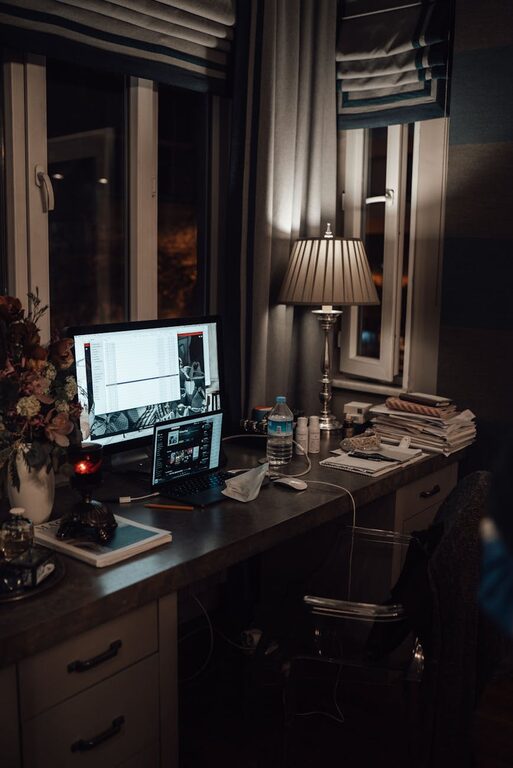
Creating a home workspace that combines comfort and functionality can make a significant difference in your daily productivity and overall well-being. Whether you work remotely, study from home, or need a dedicated area for hobbies, designing a cozy yet efficient workspace helps maintain focus and reduce stress. In this post, we’ll explore practical tips to help you build the perfect home workspace.
Choose the Right Location
Selecting the ideal spot for your workspace is the first step. Look for a quiet area with minimal distractions and enough natural light. If space is limited, consider multi-purpose rooms or quiet corners where you can set up your desk.
– Near a window to benefit from sunlight
– Away from high-traffic areas to minimize interruptions
– Close to power outlets for electronics
Invest in Ergonomic Furniture
Comfort is essential, especially if you spend long hours sitting at your desk. Invest in ergonomic furniture that supports good posture and reduces strain.
– Chair: Choose an adjustable office chair with lumbar support
– Desk: Opt for a desk at the right height to avoid hunching
– Accessories: Consider a footrest or keyboard tray for added comfort
Organize with Smart Storage Solutions
Clutter can negatively impact productivity and mental clarity. Keep your workspace tidy with smart storage options.
– Use shelves, drawers, or filing cabinets for papers and supplies
– Incorporate baskets or bins to hide miscellaneous items
– Keep frequently used items within arm’s reach
Personalize Your Space
Adding personal touches to your workspace makes it more inviting and motivating. Combine functionality with style to create a space you enjoy.
– Incorporate plants for a touch of nature and improved air quality
– Hang artwork or photos that inspire you
– Use colorful or textured accessories like cushions and desk mats
Optimize Lighting
Good lighting enhances focus and reduces eye strain. Aim for a layered lighting setup that combines natural and artificial light.
– Maximize natural light during the day
– Use desk lamps with adjustable brightness for evening work
– Avoid harsh overhead lights and glare on screens
Manage Technology Efficiently
Your devices are central to your workspace, so keeping them organized and functional is crucial.
– Use cable organizers to prevent tangled cords
– Position monitors at eye level to reduce neck strain
– Maintain a clutter-free desktop by limiting unnecessary gadgets
Create a Calming Ambiance
A peaceful environment fosters concentration and creativity.
– Choose calming colors for your walls and décor
– Play soft background music if it helps your focus
– Incorporate scents with candles or diffusers, but keep them subtle
Set Boundaries and Routine
A dedicated workspace helps separate work from leisure, and establishing routines further enhances efficiency.
– Define specific work hours and breaks
– Inform household members of your work schedule
– Use screens or room dividers if the workspace is shared
Final Thoughts
Designing a cozy and functional home workspace doesn’t require a complete overhaul. By focusing on comfort, organization, lighting, and personalization, you can create a space that supports your productivity and well-being. Start with small adjustments and customize your area to suit your needs and style. A thoughtfully designed workspace can transform how you feel about working from home and improve your daily experience.